
ES2025 JavaScript: Patterns và Libraries Hot Nhất Cho Developer Việt 2026

6 tháng trước · 6 phút đọc
ES2025 ra mắt - cái gì thật sự vào spec?
Tháng 6/2025, TC39 chính thức công bố ECMAScript 2025 (ES16). Nếu bạn hay follow Twitter/X dev community, chắc nghe nhiều về pipeline operator hay Temporal API - nhưng cả hai vẫn chưa vào spec. Đừng để bị nhầm.
Cái thật sự vào ES2025 gồm 6 nhóm tính năng:
- Iterator Helpers - global
Iteratorobject vớimap,filter,take,drop - Set Methods -
union(),intersection(),difference(),symmetricDifference() - Promise.try() - bắt cả sync lẫn async errors trong một chain
- RegExp improvements - flag
/v,RegExp.escape(), duplicate named groups - Import Attributes -
import data from "./data.json" with { type: "json" } - Float16Array - typed array 16-bit cho memory-sensitive workloads
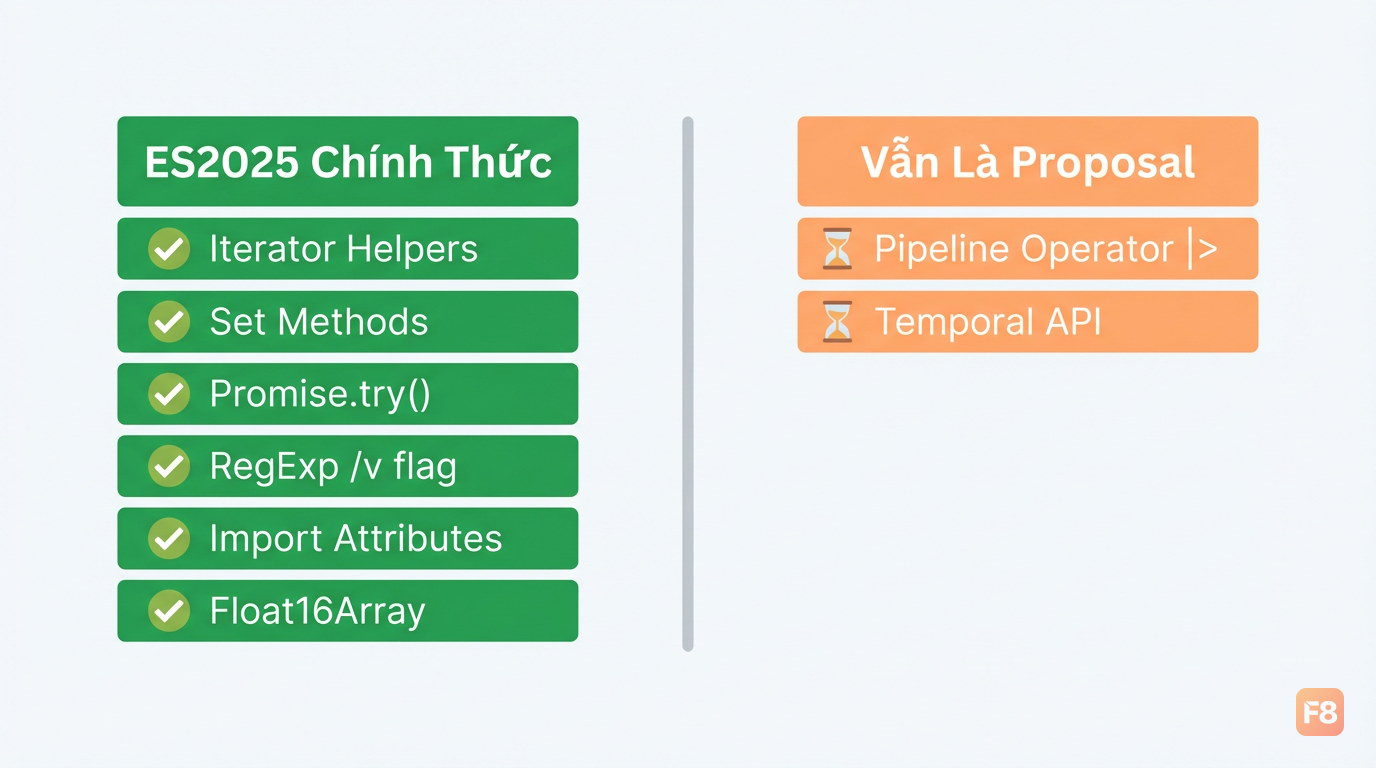 ES2025 tập trung vào iterator, set, và async - không phải pipeline operator như nhiều bài viết nhầm
Node.js 22+ và các browser Chrome/Firefox/Safari release sau tháng 6/2025 đã support native. Không cần polyfill cho production nếu bạn target môi trường đủ mới.
Pipeline operator (|>) và Temporal API? Vẫn đang ở Stage 2-3. Dùng Luxon hoặc date-fns cho date/time là lựa chọn thực tế nhất hiện tại.
Iterator Helpers và Set Methods - dùng thật trong dự án thế nào?
Hai tính năng này mình thấy practical nhất trong ES2025 cho daily work.
Iterator Helpers giải quyết bài toán bạn từng phải import lodash chỉ để map + filter + slice một mảng lớn. Bây giờ không cần nữa:
Khác biệt quan trọng: Iterator.from() lazy - với mảng 10.000 item nhưng chỉ cần 100 kết quả đầu, nó không xử lý 9.900 item còn lại. Lodash chain cũng làm được điều này, nhưng giờ là native.
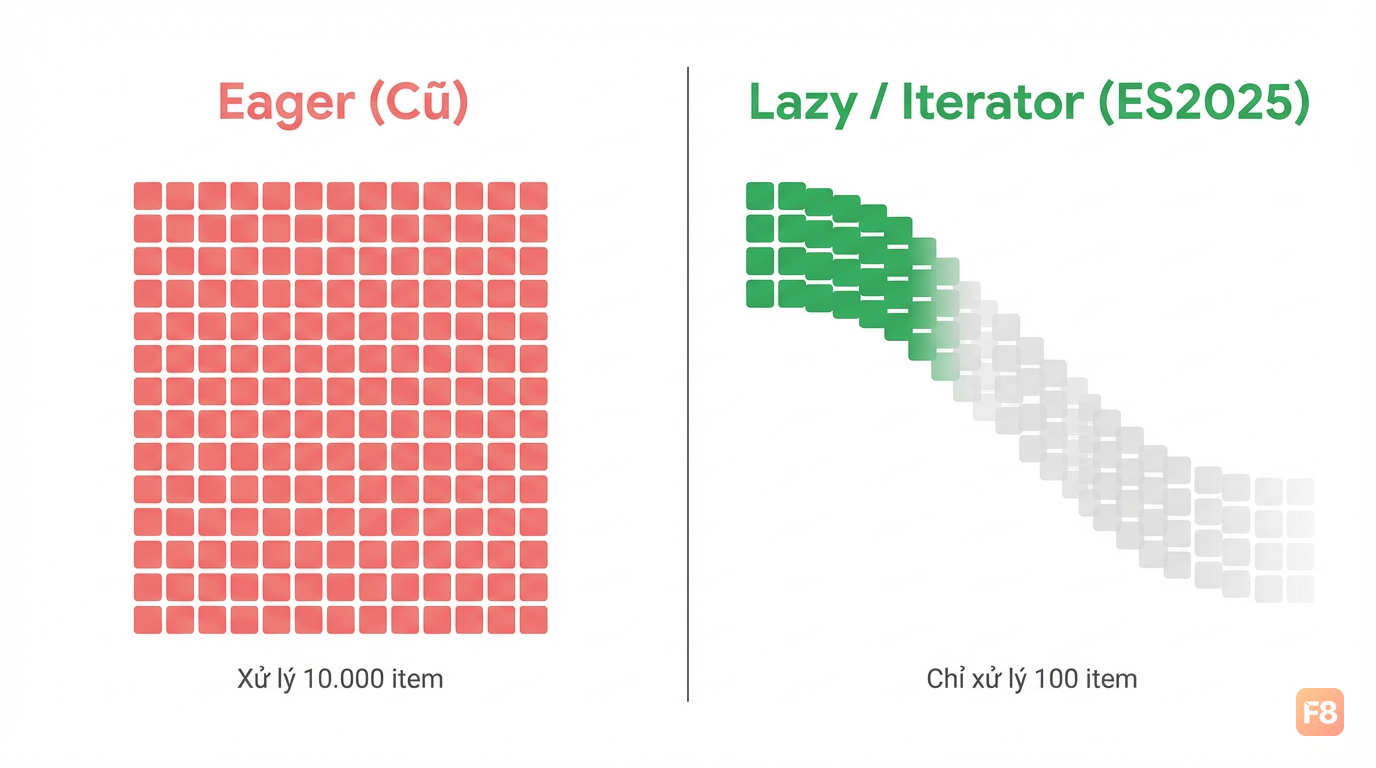 Lazy evaluation: chỉ xử lý đúng số item cần thiết, tiết kiệm CPU và memory đáng kể
Set Methods thì đặc biệt hữu ích cho permission systems hoặc dedup realtime data:
Trước đây bạn phải tự viết [...setA].filter(x => setB.has(x)). Dài, khó đọc, dễ bug. Set methods native clean hơn nhiều và chain được với nhau.
Promise.try() và async/await patterns nâng cao
Đây là tính năng mình mong nhất trong ES2025. Vấn đề cũ:
Promise.try() fix đúng điểm này:
Pattern mạnh hơn: kết hợp với async generators cho streaming data
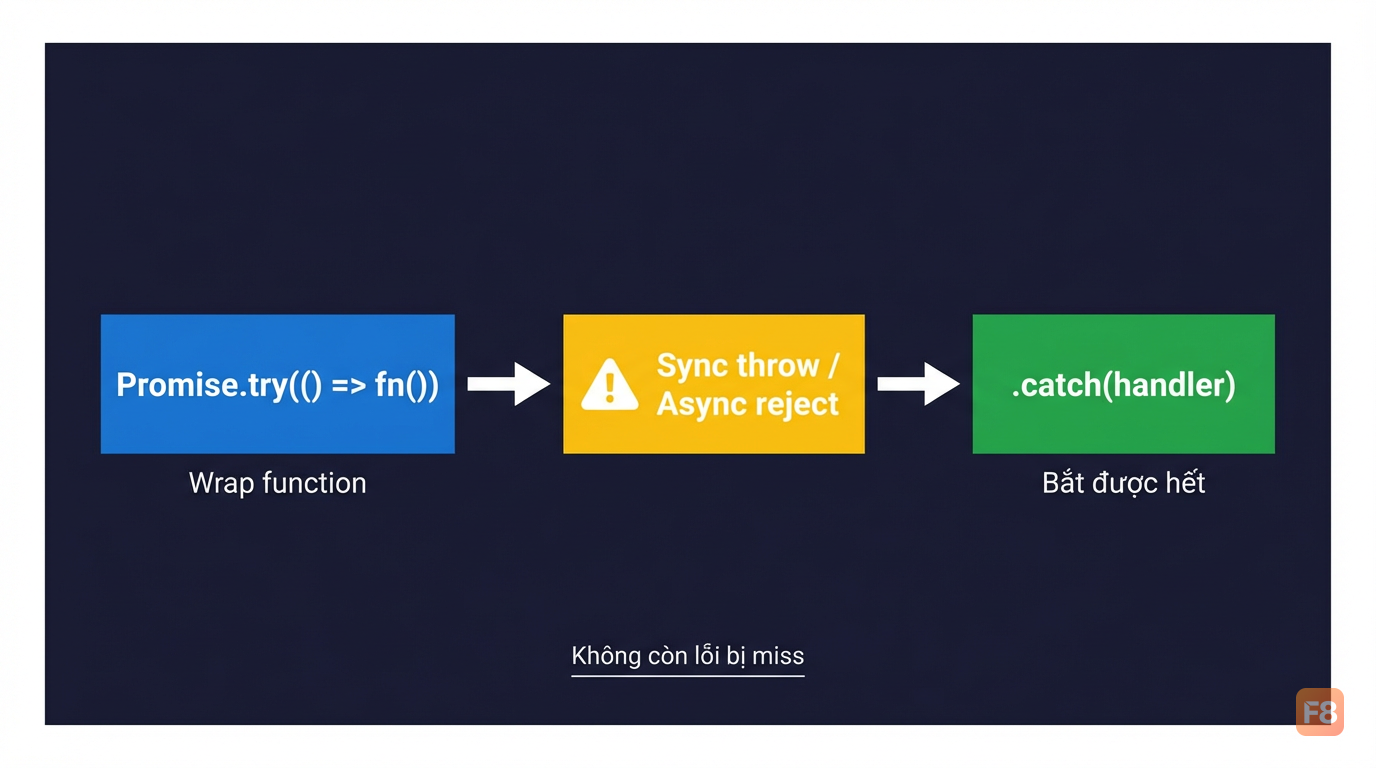 Promise.try + async generator = xử lý stream data không bị miss error ở bất kỳ điểm nào
Top-level await (ES2022 nhưng hay dùng chung với ES2025 patterns) cũng clean hơn khi kết hợp Set ops:
Nếu bạn muốn nền tảng JavaScript vững để apply những patterns này ngay, khóa JavaScript Pro cover sâu về async/await, closures, và cách JS engine thực sự hoạt động - đủ để đọc ES2025 spec mà hiểu rõ tại sao.
RxJS vs Zustand - chọn gì cho realtime web app?
Mình sẽ không nói "cái nào tốt hơn" vì câu trả lời phụ thuộc vào loại app bạn đang build.
RxJS (RxJS docs) là reactive programming library với Observable - phù hợp khi data flow của bạn phức tạp, nhiều nguồn, cần backpressure hay timing control:
Zustand (Zustand GitHub) đi theo hướng ngược lại - minimal, hooks-based, không boilerplate:
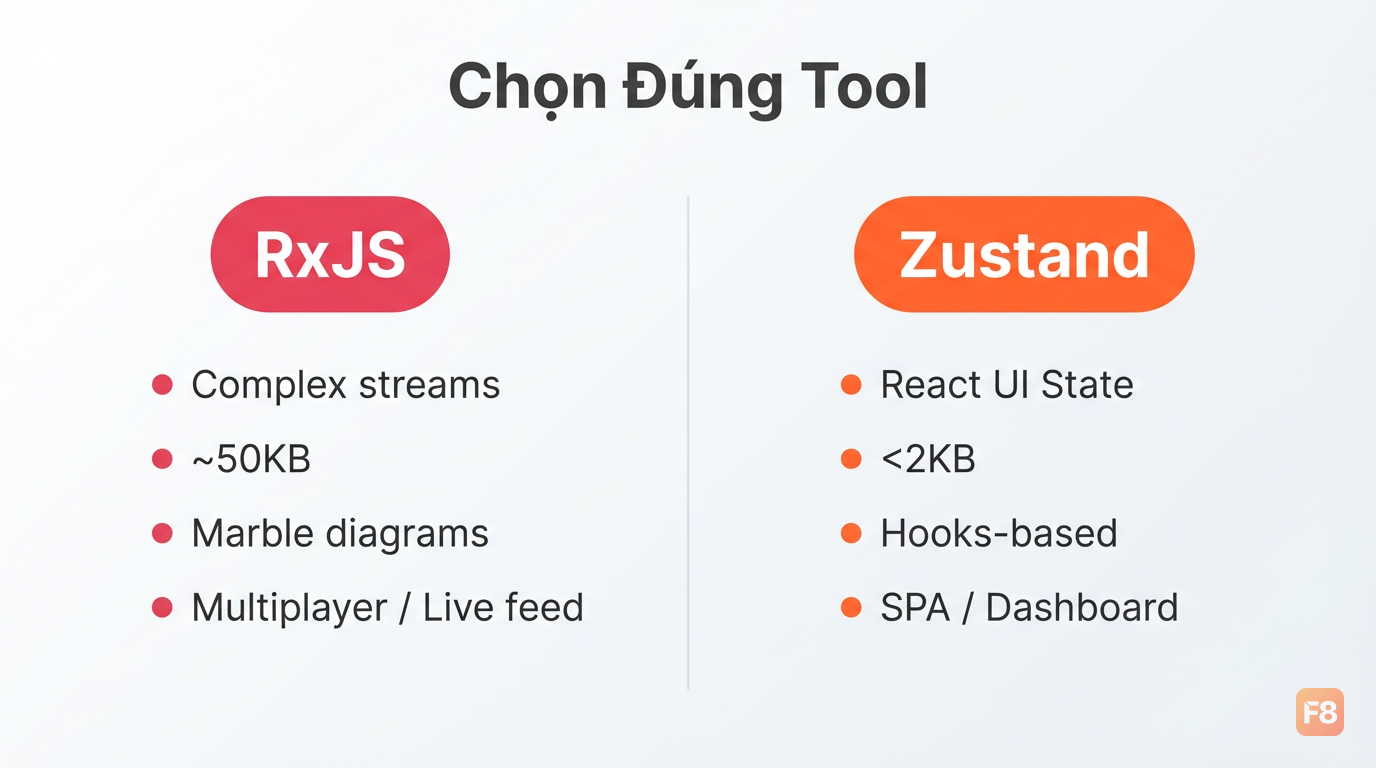 RxJS cho stream phức tạp, Zustand cho React app state - chọn đúng tool cho đúng bài toán
Bảng so sánh thực tế:
| Tiêu chí | RxJS v8.x | Zustand v5.x |
|---|---|---|
| Bundle size | ~50KB | <2KB |
| Learning curve | Cao (marble diagrams) | Thấp |
| Phù hợp cho | Multiplayer, live feed, complex streams | React SPA, UI state |
| ES2025 synergy | Iterator.from(observable) |
Promise.try trong actions |
| TypeScript | Tốt | Rất tốt (generics cải thiện v5+) |
Cho hầu hết React app Việt Nam (dashboard, e-commerce, admin panel) - Zustand là đủ và ít đau đầu hơn. RxJS chỉ worth it khi bạn xây multiplayer game, collaborative editor, hoặc financial live feed cần control timing cực chính xác.
Nếu bạn đang build với ReactJS và chưa rõ cách quản lý state từ cơ bản, khóa Xây Dựng Website với ReactJS sẽ giúp bạn hiểu đúng từ component state đến context trước khi nhảy vào Zustand.
Xây realtime dashboard với ES2025 + Zustand: ví dụ thực tế
Mình sẽ ghép tất cả những gì đã nói vào một mini case study: realtime stock price dashboard nhận data qua WebSocket.
Download file demo đầy đủ tại đây: Tải file demo Realtime Dashboard
Kiến trúc:
WebSocket server
    ↓
Zustand store (ES2025 Promise.try + Set dedup)
    ↓
Iterator Helpers (filter/transform)
    ↓
React components (subscribe minimal)
Store với ES2025 patterns:
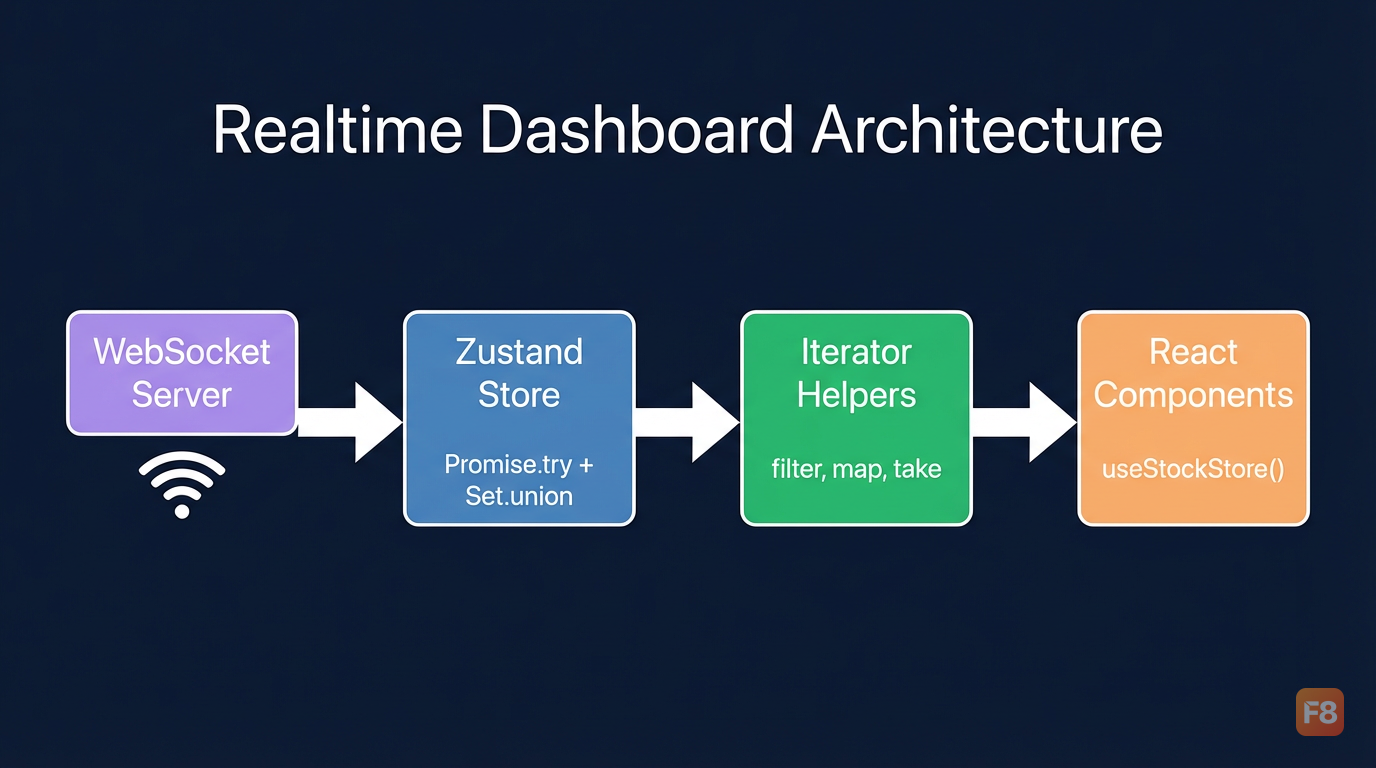 Zustand store kết hợp ES2025 Set union và Iterator Helpers - ít code hơn, dễ đọc hơn
Pattern này cho phép bạn:
- Không duplicate symbol khi user thêm subscription nhiều lần (Set.union)
- Không bị missed error khi WebSocket init fail sync (Promise.try)
- Chỉ xử lý đúng 10 item cần thiết từ hàng nghìn price entries (Iterator.take)
Bạn đã có đủ building blocks. Bước tiếp:
- Cài Node.js 22+ hoặc bật Chrome mới nhất để test native (không cần polyfill)
- Thêm Zustand vào project React hiện tại, migrate một slice state nhỏ trước
- Thử
Iterator.from()thay lodash chain trong một data transformation function
Gặp vướng mắc ở phần nào, drop comment xuống dưới - mình đọc hết.